
FlashLight: Proximity Sensor Powered Flash Light1.0.4 - App Store
You'll be able to see results in few seconds.
Publisher Description
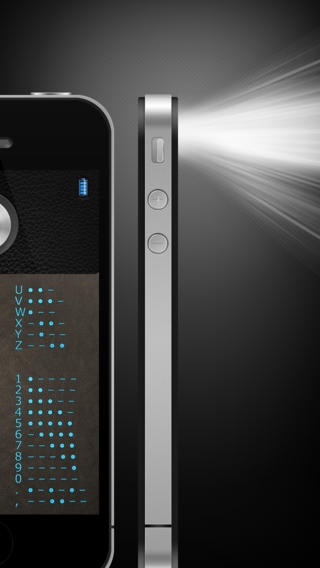
Finally a Flashlight with Proximity sensor programmed for iPhone 4, 4S & 5 !!
Turn your iPhone into a useful LED torch/flashlight with completely new features implemented in this application and get the most out of your iPhone.
This application allows you to turn on/off flashlight & screen without making any noise or pressing any buttons at all.
How?
To turn ON simply open the Flashlight Application
To turn OFF - Just cover your phone screen OR put the phone fully in your pocket OR turn the phone upside down on a table or surface
Using this feature to turn off the flashlight when it s not in use saves your battery life. You will never be caught out with this application; this flashlight has an integrated battery meter always letting you know how much battery life remains.
Flashlight has many uses:
Searching for items in dark corners or under furniture
Reading books/magazines
Lights up a dark room at night,
During a power failure
Finding a keyhole in the dark,
Find out your own creative usage especially with proximity feature! You will always find this app handy in dark places.
Get a Flashlight in your pocket, when you need it, where you need it.
Features:
Proximity sensor turns LED light on/off
Proximity sensor turns screen on/off
Compass: simulating a real compass
Morse Code
Integrated battery meter
Shake your device to turn light on/off
Push button (signal light) with very fast response time, ideal for Morse signals
Remember last configuration after the application is closed
No splash screen, very fast start
Brightest and fastest-torch
Easy and simple to use
Elegant design and high quality retina graphics
Realistic sound effects
Professional dark design to save battery life
Note: continuous use of the LED flash can shorten battery life.
Requires iOS 4.3 or later. Compatible with iPhone 4, iPhone 4s, iPhone 5, iPhone 5c, iPhone 5s, iPhone 6, iPhone 6 Plus, iPhone 6s, iPhone 6s Plus, iPhone SE, iPhone 7, iPhone 7 Plus, iPod touch (5th generation), and iPod touch (6th generation).
About FlashLight: Proximity Sensor Powered Flash Light
The company that develops FlashLight: Proximity Sensor Powered Flash Light is Trasolt SEZC Ltd. The latest version released by its developer is 1.0.4.
To install FlashLight: Proximity Sensor Powered Flash Light on your iOS device, just click the green Continue To App button above to start the installation process. The app is listed on our website since 2012-03-27 and was downloaded 0 times. We have already checked if the download link is safe, however for your own protection we recommend that you scan the downloaded app with your antivirus. Your antivirus may detect the FlashLight: Proximity Sensor Powered Flash Light as malware if the download link is broken.
How to install FlashLight: Proximity Sensor Powered Flash Light on your iOS device:
- Click on the Continue To App button on our website. This will redirect you to the App Store.
- Once the FlashLight: Proximity Sensor Powered Flash Light is shown in the iTunes listing of your iOS device, you can start its download and installation. Tap on the GET button to the right of the app to start downloading it.
- If you are not logged-in the iOS appstore app, you'll be prompted for your your Apple ID and/or password.
- After FlashLight: Proximity Sensor Powered Flash Light is downloaded, you'll see an INSTALL button to the right. Tap on it to start the actual installation of the iOS app.
- Once installation is finished you can tap on the OPEN button to start it. Its icon will also be added to your device home screen.
Program Details
System requirements
Download information
Pricing
Version History
version 1.0.4
posted on 2012-03-27
Disclaimer
Official App Store Link
We do not host FlashLight: Proximity Sensor Powered Flash Light on our servers. We did not scan it for viruses, adware, spyware or other type of malware. This app is hosted by Apple and passed their terms and conditions to be listed there. We recommend caution when installing it.
The App Store link for FlashLight: Proximity Sensor Powered Flash Light is provided to you by apps112.com without any warranties, representations or guarantees of any kind, so access it at your own risk.
If you have questions regarding this particular app contact the publisher directly. For questions about the functionalities of apps112.com contact us.
